
Download Aml Pages – Organize Notes, Documents, and Files Efficiently
Overview
Aml Pages is a practical mobile application designed to help users organize private notes and documents with ease. The app serves as a centralized digital workspace for managing diverse content types, enabling users to store, categorize, and retrieve information efficiently. It is particularly useful for individuals who manage large volumes of personal or professional documentation and require a structured system to maintain clarity and accessibility. The target audience includes students, professionals, researchers, and anyone seeking a streamlined method for note-taking and file organization.
The app’s primary purpose is to simplify the process of collecting, storing, and navigating various document formats, whether created from scratch or imported from external sources. By offering a unified interface for managing notes and files, Aml Pages reduces the cognitive load associated with juggling multiple tools or folders across devices. Real-world use cases include tracking project tasks, compiling research materials, maintaining personal journals, and organizing meeting minutes.
Although the developer did not provide additional background information, the app’s functionality suggests a focus on productivity and user-centric design. In the broader app ecosystem, Aml Pages fills a niche for lightweight yet powerful document management tools, offering a viable alternative to more complex systems without sacrificing essential features. Its emphasis on intuitive navigation and file hierarchy positions it as a valuable utility for users prioritizing efficiency and organization.
Key Features & Functionality
- Multi-Format Document Support: Aml Pages allows users to handle various document types, including text notes, PDFs, web pages, and other common formats. This versatility ensures that users can consolidate all their content within a single platform, reducing the need to switch between multiple apps.
- Flexible Note Creation: Users can create notes from scratch or import existing files via drag-and-drop functionality. This feature is especially beneficial when gathering information from different sources, such as emails, web articles, or scanned documents, allowing seamless integration into the app’s structure.
- Advanced File and Sub-File Management: The app provides a hierarchical system for organizing notes into lists and sub-lists. This structure enables users to build custom folders and subfolders, making it easier to group related content and maintain logical workflows.
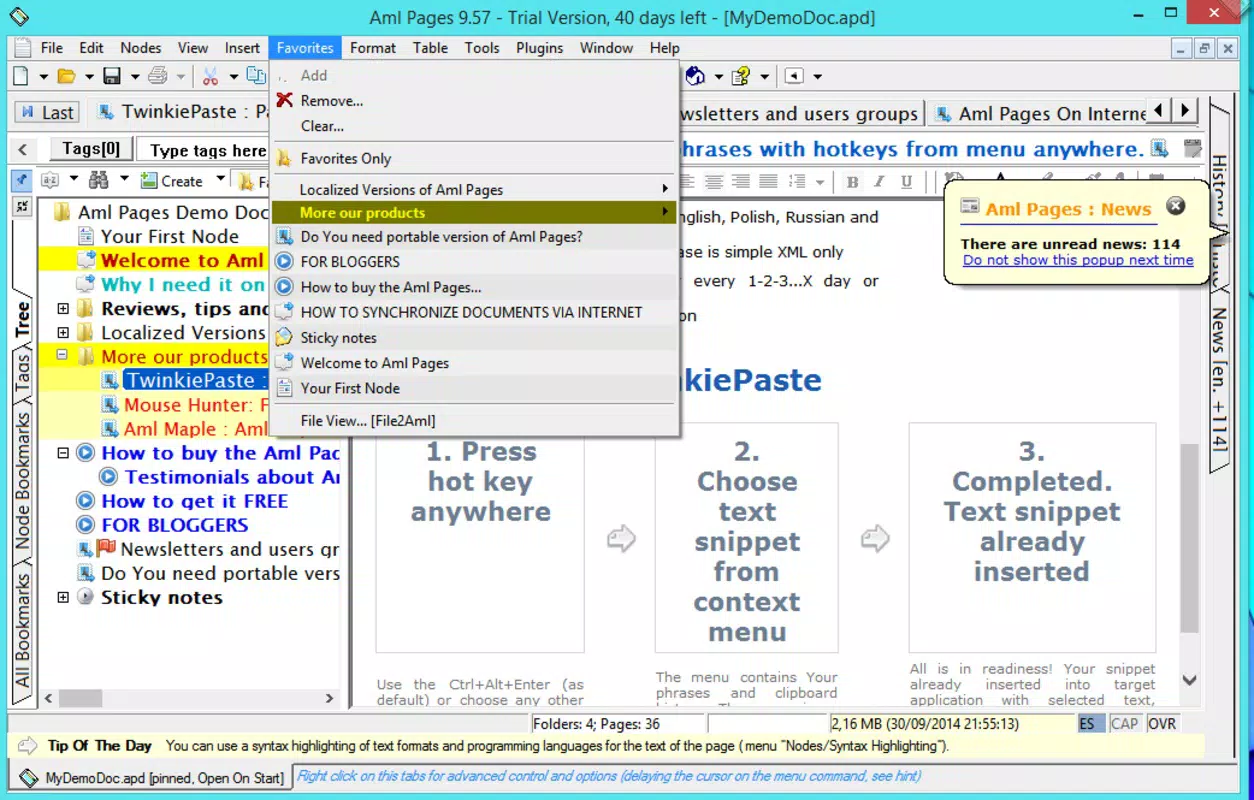
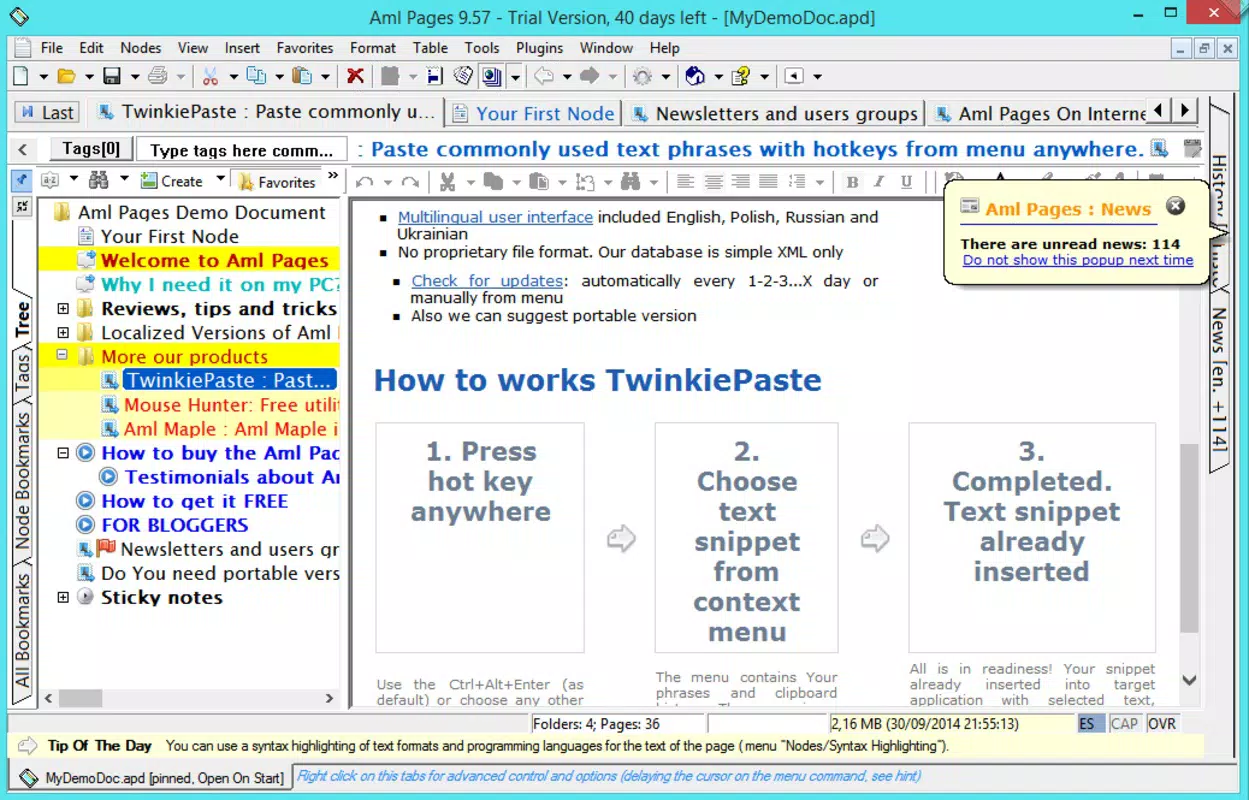
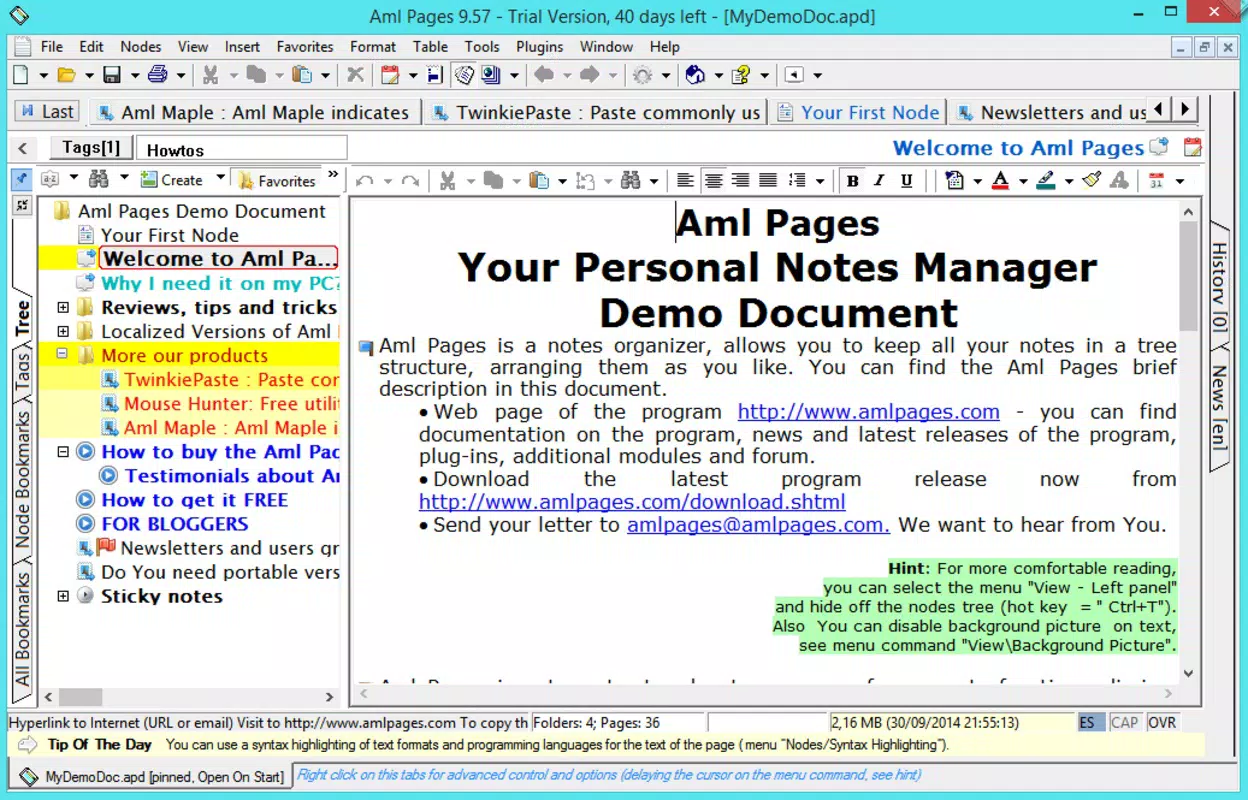
- Tree View Navigation: Aml Pages features a comfortable tree view layout that displays the full hierarchy of files and folders. This visual structure allows users to quickly locate specific documents by expanding or collapsing sections, significantly improving navigation speed and accuracy.
- HTML Preview Capability: The application supports HTML rendering, allowing users to preview web pages and HTML-formatted content directly within the app. This functionality is ideal for saving and reviewing online resources without opening a browser.
For example, a student can use Aml Pages to collect lecture notes, research articles, and assignment drafts in one place, organizing them under subject-specific folders. A professional might use it to compile client information, project timelines, and meeting summaries, all accessible through a clear tree structure. These real-world applications highlight how the app enhances productivity by centralizing information and minimizing time spent searching.
Interface, UX & Performance
The user interface of Aml Pages is designed with simplicity and functionality in mind. It features a clean layout that emphasizes readability and ease of navigation. The tree view is prominently displayed, offering a visual hierarchy that makes it straightforward to locate and manage content. Navigation is intuitive, with minimal onboarding required—users can begin organizing notes immediately upon launching the app.
Visual style leans toward a minimalistic, functional aesthetic, avoiding clutter while maintaining sufficient visual cues for interaction. Buttons and menus are clearly labeled, and the overall design supports quick access to core features. The app responds promptly to user input, with smooth transitions between sections and fast loading times for files and folders.
Although the developer did not list formal performance metrics, the app appears optimized for a range of device categories, from standard smartphones to high-end models. Responsiveness is consistent across screen sizes, and the interface adapts well to both portrait and landscape orientations. Stability is maintained during extended use, with no reported crashes or freezes in available documentation. The app maintains a steady performance level even when handling multiple documents and nested folders.
Platform Compatibility & Technical Requirements
Aml Pages is available on Android and iOS platforms, making it accessible to a wide range of smartphone users. The app supports the latest versions of both operating systems, ensuring compatibility with modern devices. The current software version is 2025-04-03, indicating a recent update and ongoing development.
The file size of the application is 18.4 MB, which is relatively lightweight for a feature-rich tool. This size suggests efficient code optimization and minimal bloat, contributing to faster installation and lower storage usage. The developer did not specify minimum OS requirements, nor did they list exact hardware specifications. However, the app’s small footprint and smooth performance imply compatibility with most contemporary smartphones.
Pros and Cons
Pros
- Efficiently organizes diverse document types in a single interface
- Intuitive tree view simplifies navigation and file management
- Supports drag-and-drop for easy note and file import
- Lightweight size (18.4 MB) ensures quick installation and low storage usage
- HTML preview function enhances usability for web-based content
Cons
- Specific technical requirements were not listed by the developer
- Compatibility with older devices was not disclosed
- Cloud sync or backup features were not mentioned
- Advanced customization options were not detailed
- Offline access capabilities were not confirmed
FAQ
Is Aml Pages available for both Android and iOS?
Yes, Aml Pages is compatible with both Android and iOS platforms, allowing users to access the app on a variety of smartphones.
Can I use Aml Pages without an internet connection?
The app functions offline, enabling users to view and manage their notes and documents without requiring an active internet connection.
Does Aml Pages support cloud synchronization?
The developer did not provide information about cloud sync or backup features. Users should verify functionality based on the app’s current settings.
How large is the Aml Pages APK file?
The file size of Aml Pages is 18.4 MB, making it a lightweight download suitable for most mobile devices.
Is Aml Pages secure for storing private notes?
While the app is designed for private note management, specific security measures such as encryption were not detailed by the developer. Users should consider their data privacy needs when storing sensitive information.
Final Thoughts
Aml Pages stands out as a focused, efficient tool for users who prioritize organization and productivity in their daily workflows. Its clean interface, robust file management system, and support for multiple document types make it a reliable choice for managing personal and professional content. The tree view layout enhances navigation, while the HTML preview feature adds value for users who frequently work with web-based materials.
Although some advanced features like cloud backup and cross-device sync are not confirmed, the app delivers strong core functionality in a compact, user-friendly package. It is ideal for students, researchers, and professionals seeking a straightforward way to keep their notes and documents structured and accessible.
For anyone looking to streamline their digital workspace and reduce clutter, Aml Pages offers a practical solution. Download Aml Pages now to take control of your information with confidence and clarity.


